
Submagic is an AI-powered video editing platform that helps creators add captions, subtitles, effects, and other enhancements to short-form videos.
It is designed for quick editing and content creation across platforms such as TikTok, Instagram, and YouTube.
This Submagic review covers its features, pricing, user experience, and common customer feedback to help you understand what the platform offers in 2026.
What Is Submagic?
Submagic is a browser-based AI video editing platform for short-form content.
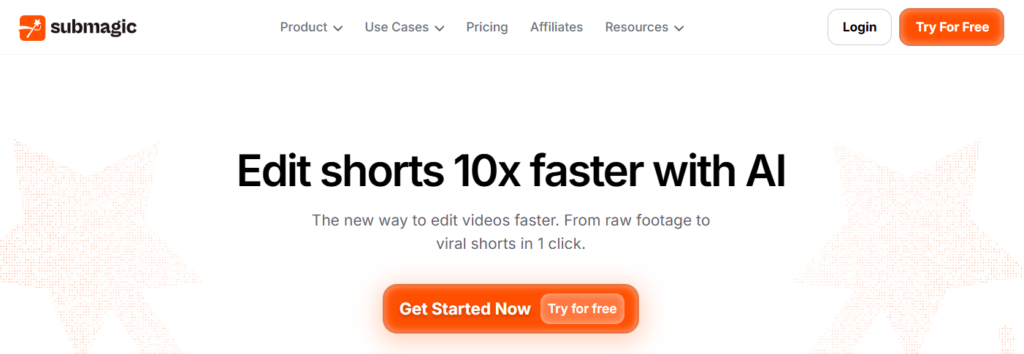
It automatically generates animated captions in 123 languages and lets you edit videos by deleting text from the transcript.
Depending on the plan, Submagic also includes AI B-roll, stock media, auto-zoom, Brand Kits, and direct publishing to platforms such as YouTube, TikTok, Instagram, and LinkedIn.
It also offers an API for automated video workflows.
What Reviewers Praise About Submagic
Responsive customer support: Some reviewers appreciate the personal support they receive from Submagic’s team.
Rather than relying only on automated responses, users have described getting direct guidance and practical help when they run into problems.
Significant time savings: Saving editing time is one of the most common themes in positive feedback.
Reviewers say Submagic can reduce the time needed for tasks such as captioning and short-form video editing, especially when compared with doing these tasks manually.
Accurate captions: Users frequently highlight Submagic’s AI-generated captions, particularly their accuracy and ability to handle spoken content with context.
This makes the captioning process faster and reduces the need for extensive manual corrections.
Easy to use: Reviewers also praise the platform’s straightforward interface. Its workflow is designed to help creators produce polished short-form videos without spending significant time learning complicated editing tools.
What Reviewers Complain About Submagic
Billing and refund concerns: Some reviewers report confusion around billing, including accidentally choosing an annual subscription instead of a monthly plan.
Others describe the refund terms as restrictive, particularly when they expected more flexibility after the trial period.
Inconsistent support response times: Although many users praise Submagic’s customer support, some reviewers say responses can take longer for non-urgent requests.
This suggests that support experiences may vary depending on the issue and response time.
Occasional technical issues: A smaller number of reviewers mention problems such as playback glitches, subtitle alignment errors, or slower rendering during exports.
These issues do not appear in every review, but they can affect the editing experience when they occur.
Some strongly negative experiences: A few users report serious dissatisfaction with the app, including claims about poor performance, pricing, and customer service.
These reviews represent individual experiences and should be considered alongside the broader range of feedback.
How Much Does Submagic Cost?
Submagic offers different pricing tiers based on video volume, editing needs, and export quality. Here’s a quick comparison of the available plans.
| Submagic Plan | Monthly Price | Annual Price (Per Month) | Videos Per Month | Maximum Video Length | Export Quality |
|---|---|---|---|---|---|
| Starter | $19 | $12 | 15 | 2 minutes | 1080p at 30 FPS |
| Pro | $39 | $23 | 40 | 5 minutes | Up to 2K at 30 FPS |
| Business | $69 | $41 | 100 | 30 minutes | Up to 4K at 60 FPS |
| Custom | Contact Sales | Contact Sales | Tailored to usage | Tailored | Tailored, with SSO and dedicated support |
If you’re looking to lower the cost of any Submagic plan, check the latest Submagic promo code to save up to 41% before subscribing.
The available discount can help you pay less, especially when choosing an annual plan.
What Are The Key Features of Submagic?
Submagic combines AI captions, short-form video editing, B-roll, music, and content customization in one browser-based platform.
AI Captions and Transcription
Submagic automatically transcribes videos and generates captions after you upload a clip. You can upload supported video files and customize the generated captions for your content.
For longer videos, Magic Clips can identify sections that can be turned into short-form clips for platforms such as YouTube Shorts, Instagram Reels, and TikTok.
Caption Customization
Submagic lets you customize the appearance of your captions with different styles, fonts, colors, sizes, emojis, and positioning.
You can also highlight specific words or phrases to make important parts of the video stand out.
Video Editing and Trimming
The platform includes simple editing tools for trimming unwanted sections, removing parts of a transcript, and adjusting video framing.
This makes it easier to clean up short videos without using a traditional timeline editor.
AI B-Roll and Stock Media
Submagic can suggest B-roll and stock footage based on the content of your video. You can add relevant images or videos to different sections, or upload your own media when you need more control over the final edit.
Background Music and Sound Effects
You can add background music and sound effects to your videos and choose audio based on the style or mood of your content.
Brand and Style Customization
Submagic also supports Brand Kits, allowing creators and teams to maintain consistent branding across videos with saved visual elements such as logos and caption styles.
Direct Publishing
After editing, you can publish content directly to platforms including YouTube, TikTok, Instagram, and LinkedIn, reducing the number of steps between editing and publishing.
Does Submagic Offer A Free Plan?
Yes, Submagic offers a free plan that lets you test its video editing tools without a credit card.
You can sign up through the Submagic official website by selecting “Try for Free” or “Create Free Video Now.”
How The Submagic Free Plan Works?
- No credit card required: Sign up with Google or email without entering payment details.
- Up to 3 videos: The free plan lets you edit and generate captions for up to 3 videos.
- Watermark: Free-plan exports may include a Submagic watermark, which is removed when you upgrade to a paid plan.
How To Start Using The Free Plan?
- Go to the Submagic website.
- Click “Try for Free” or “Create Free Video Now.”
- Sign up with Google or your email address.
- Complete the basic profile details.
- Upload a video and start testing Submagic’s editing and caption features.
Submagic vs. Alternatives
Submagic, CapCut, Opus Clip, and Kapwing serve different video editing needs. The main differences are their focus, pricing, and the type of content they are designed to create.
| Feature | Submagic | CapCut | Opus Clip | Kapwing |
|---|---|---|---|---|
| Main focus | AI captions and short-form video editing | General video editing with AI tools | Turning long videos into short clips | Browser-based video editing |
| Pricing | $19–$69/month; annual pricing can reduce the monthly equivalent | Free and paid options | Paid plans with entry-level options | Free and paid options |
| Best suited for | Creators producing short-form content regularly | Users looking for affordable general editing | Creators repurposing podcasts and long videos | Users who prefer browser-based editing |
| Editing approach | Short-form focused workflow | Broad editing toolkit | Automated clip extraction | General-purpose online editor |
Submagic stands out for its focus on short-form content, combining captions, editing, and AI-powered tools in one workflow.
CapCut offers a broader editing experience, Opus Clip focuses more on turning long-form content into clips, while Kapwing provides general browser-based editing tools.
Who Should Use Submagic?
Submagic May Be A Good Fit For
- Short-form creators: Useful for creators and small teams producing Shorts, Reels, and TikTok videos regularly.
- Content repurposing: Agencies and creators can use tools such as Magic Clips to turn longer videos into short-form content.
- Caption-focused workflows: A good option for users who prioritize accurate captions, styling options, and faster editing.
Submagic May Not Be A Good Fit For
- Long-form editing: Submagic is focused on short-form content rather than traditional timeline-based video editing.
- Users with very limited editing needs: The free plan is limited to 3 videos, so frequent users may need a paid plan.
- Users concerned about refunds: Review the current refund and cancellation terms before subscribing, particularly if you are unsure about committing to a paid plan.
Conclusion On Submagic Review
Submagic is a short-form video editing platform built around AI captions, quick editing, and content repurposing.
Reviews commonly praise its time-saving workflow, caption quality, and ease of use, while some users report concerns about refunds, support response times, and occasional technical issues.
Before subscribing, review the pricing, refund terms, and free-plan limitations so you know what features and export conditions apply to your account.
Frequently Asked Questions
What Is Submagic’s Biggest Complaint?
Billing and refund issues are among the most common complaints. Some reviewers report confusion around subscription charges or dissatisfaction with the refund process. Support response times are another concern mentioned in some reviews, particularly for non-urgent issues.
How Accurate Are Submagic’s Captions?
Submagic’s AI captions are generally reported as highly accurate, although they may still require manual corrections. Accuracy can depend on audio quality, accents, background noise, language, and brand or technical terms. The platform supports captions in multiple languages, making it useful for creators publishing to different audiences.
Is Submagic Worth The Price Compared With Alternatives?
Submagic can be worth the price for creators who regularly produce short-form content and need multiple editing tools in one platform. Its feature set combines AI captions, B-roll, silence removal, clip creation, and other short-form editing tools. However, users who only need basic captions or occasional editing may not need the full range of features.
Can I Get A Refund If I’m Unhappy With Submagic?
Refund eligibility depends on Submagic’s current refund and cancellation terms. Some reviewers report that their refund requests were denied, so you should review the applicable policy before subscribing. Do not assume that a standard money-back period applies unless the current terms specifically provide one.
